October update
More features and improvements for LemonBooking: custom questions and SumUp payments for events, new controls for editing booking session prices, custom headers and footers on invoices, a customer filter for work schedules, website editor improvements, and the option to upload a favicon.
Custom questions for events
Custom questions let you add extra questions to LemonBooking. They’re typically used on the booking form (e.g. Do you have public liability insurance?) or the customer registration form (e.g. Are you registered for Gift Aid?).
This update extends custom questions to events. For a children’s event, you might need to ask each attendee’s age and any allergies; for an AGM you might need their address or date of birth.
SumUp for ticket sales
Earlier this month we added SumUp to the list of supported payment providers for ticketing. You can now sell tickets and take online payments through SumUp, Stripe and PayPal.
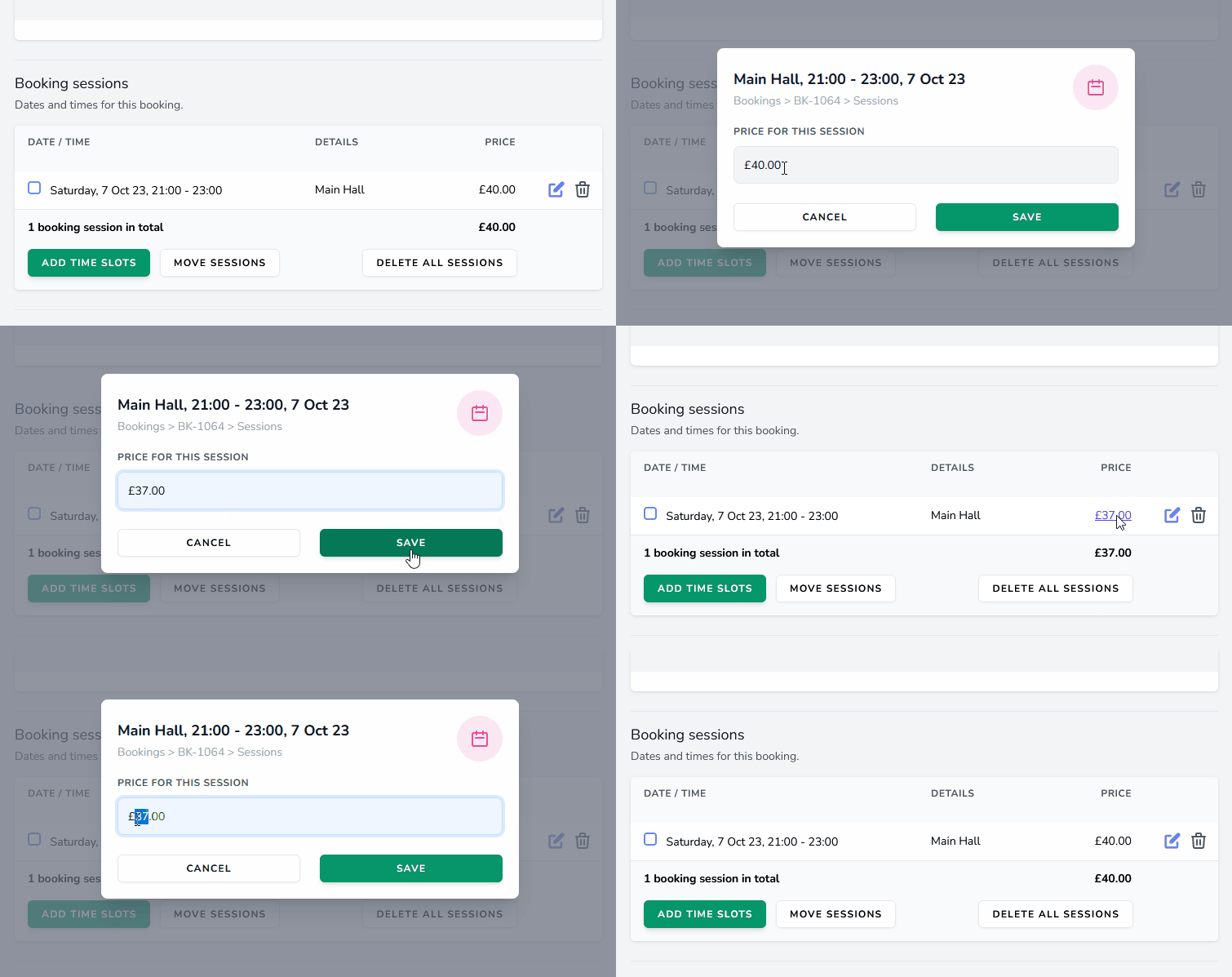
Manually override the price for a session
LemonBooking has several ways to calculate booking prices automatically — standard price lists, customer-specific prices, deposit rules, and automated fees and discounts.
Sometimes, though, you just need to give a customer a special price for a one-off session. That’s now easier than ever:
Option to copy sections
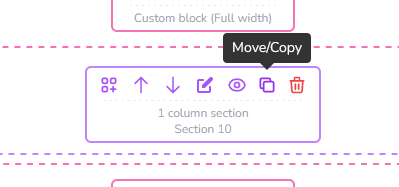
In the website editor, you can now move or copy whole sections — either to another spot on the same page, or across to a different page.
Useful for a standard banner or footer you want on every page. It’s also handy for things like a grid of facility or staff photos with captions, where you want to reuse the same layout elsewhere.
Upload a custom favicon
Earlier in the month, we added the option to upload a custom favicon. A small touch, but an effective way to make your website feel more polished.
Header/Footer text on invoices
Two new text fields on the billing template let you customise the header and footer on invoices. Use them to display a staff reference number, list alternative payment methods, or simply thank the customer for their custom.
Customer filter for work schedules
Work schedules now have a customer filter, so you can generate a schedule (such as a weekly programme or day sheet) showing only the bookings for a particular customer. It’s a quick way to see everything a customer will be doing — or has done — over a given period.
Until next time
Thanks, as always, to everyone who fed back on this update. We’re very grateful for your support, and committed to keeping LemonBooking moving forward.