December update
Merry Christmas!
We’ve squeezed one more update in before Christmas and it’s a big one: a new calendar view, new heating controls for Google Nest, customer flags, a new work schedule format, extra options for copying prices, and support for advertising third-party events through the ticketing module.
New calendar view
We’ve added a fifth (and much-requested) layout to the LemonBooking calendar — the Daily view. It shows all booking sessions, restrictions and calendar notes for a single day, split across each of your facilities. Example below.
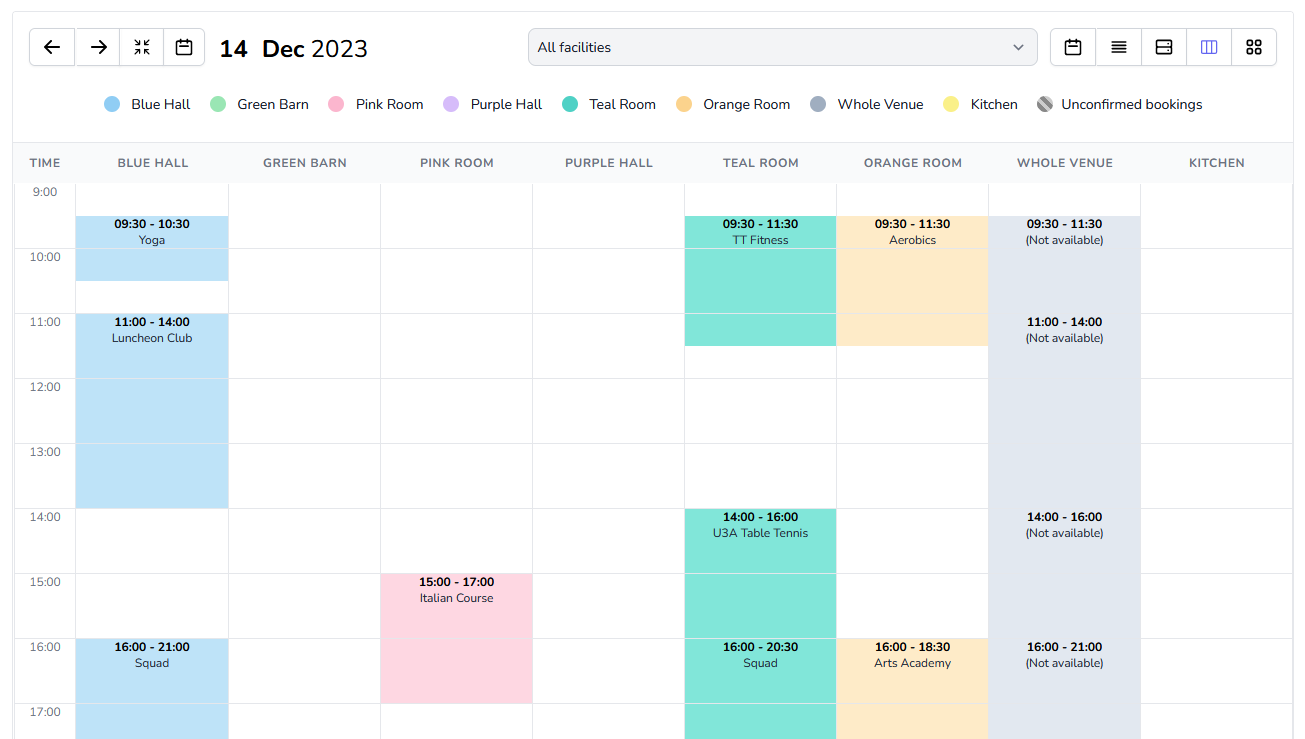
Activate it by clicking the columns icon ( ) on the calendar. You can also set this view — or any other — as the default for staff and/or customers in your calendar system settings.
New heating controls
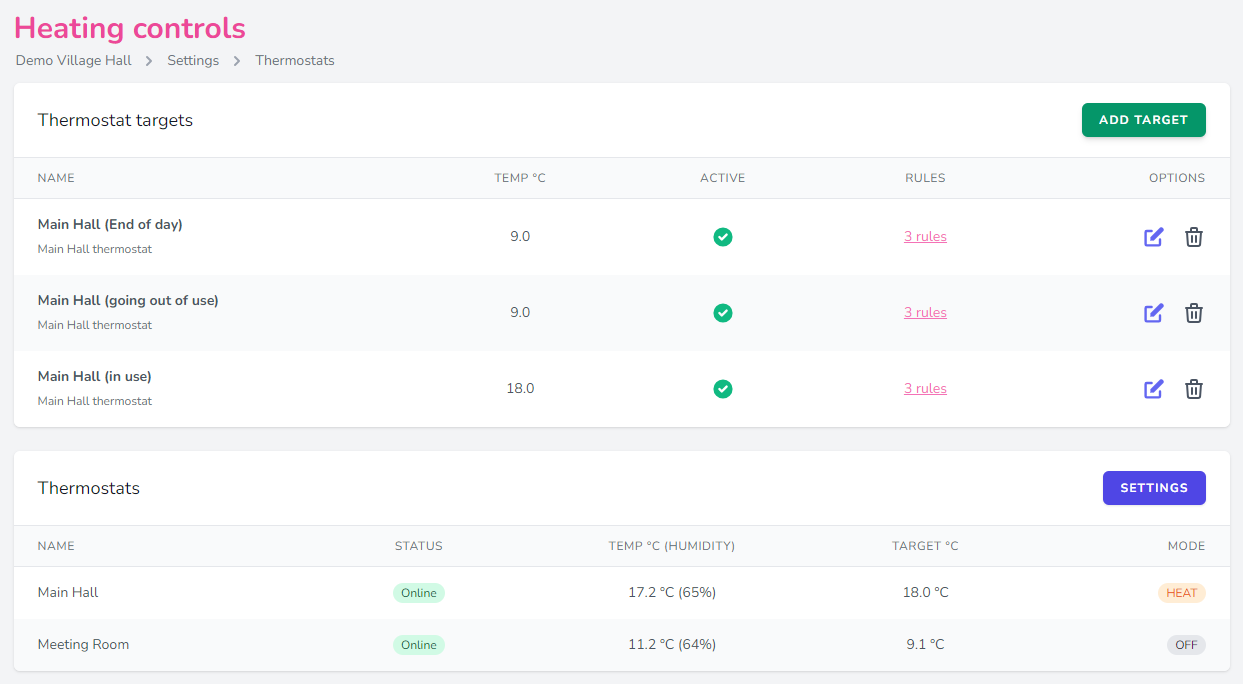
If you have a Google Nest smart thermostat connected to LemonBooking, two new heating rules — “time after start” and “time before end” — give you finer control over when LemonBooking turns the heating on and off.
Save money on your heating
If you have a Google Nest thermostat and haven’t tried our heating module yet, it’s well worth a look (we’re a little biased). The module is £5 per month, and can save your venue real money over the winter.
Customer flags
Another new feature to help you manage customers and their bookings.
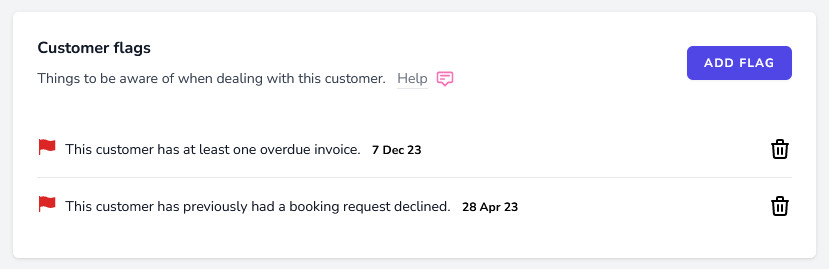
Customer flags surface things you need to be aware of when dealing with a customer. There are two types: automatic and manual. When you’re reviewing a booking request, LemonBooking will display an automatic flag if the customer has previously had a booking declined (all plans), or if they have an overdue invoice (Silver and Gold plans).
You can also add your own (manual) flags on a customer’s profile page — to track things like damage to the venue, or a customer who hasn’t cleaned up after their event. Customer flags are only visible to staff.
New work schedule format
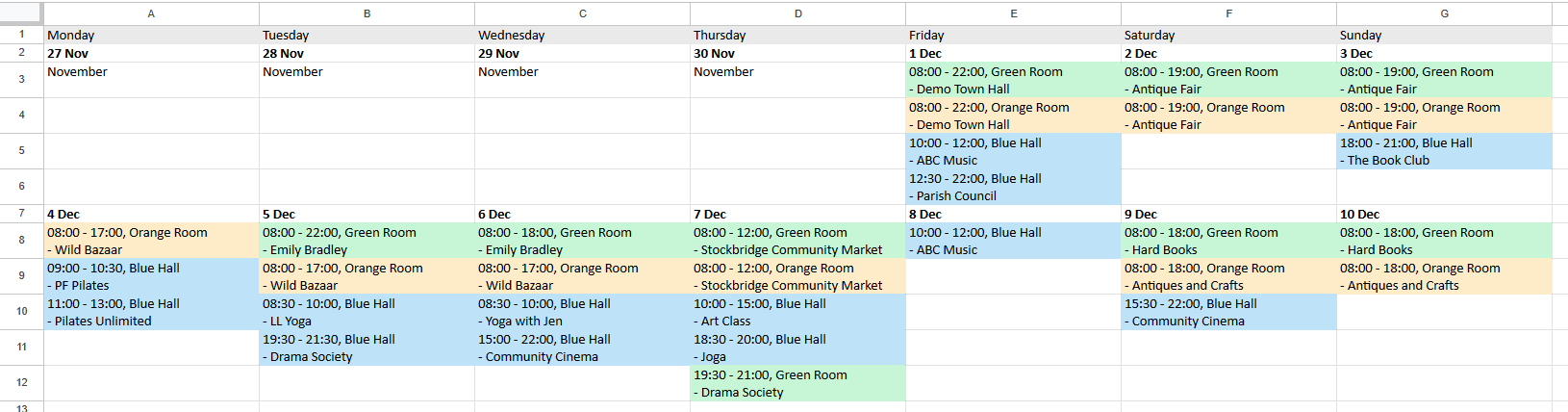
You can now export the LemonBooking calendar (month view) directly to HTML or Excel. The export sits inside the existing work schedules feature, so you can apply the same privacy options and filters as with other schedule formats.
New options for copying prices
You can now copy all prices for a given booking group or facility. A real time-saver if you have a complex price structure to replicate across multiple groups or facilities.
Support for third party ticket sales
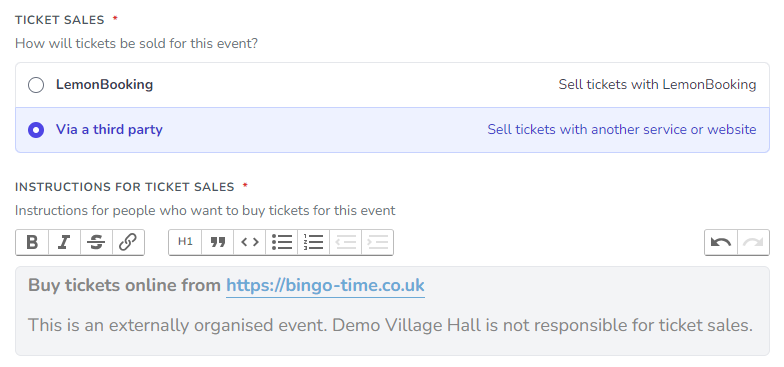
LemonBooking has a full set of tools for selling tickets for your own events, but you might also want to promote events taking place at your venue where you’re not handling ticket sales — for example, supporting a customer who has hired the venue for a performance.
That’s now possible thanks to a small update we made last month:
Thank you
As always, thanks to everyone who fed back on this update — every change above came directly from customer input.
See you in 2024!