March update
The March update brings a big set of improvements to resources (the equipment and services people can add to their bookings), a new chart for the usage report, plus smaller updates for custom questions and email attachments.
Here’s a summary of the main changes:
Apply a resource to a specific date
Silver
Gold
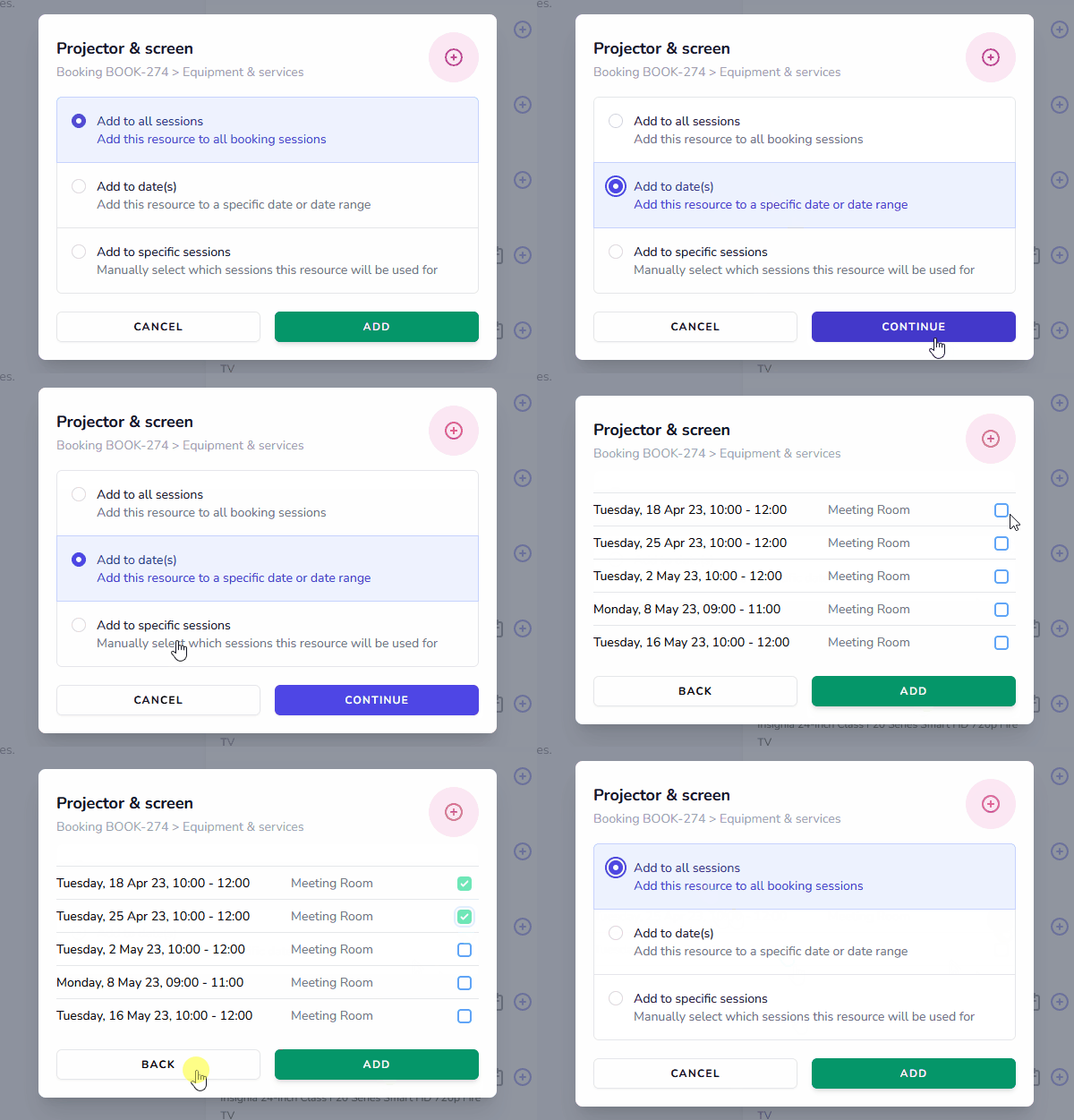
One of the most-requested new features. You can now pick specific sessions or a date range when adding equipment and services to a repeat booking. Got a community group that only needs the kitchen once a month, or a commercial customer who needs a projector every other week? It’s straightforward with the new controls:
Better controls for resource availability
All plans
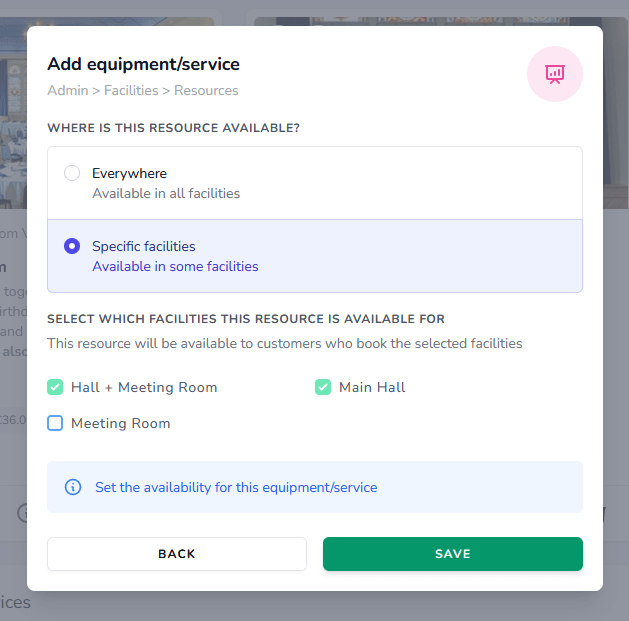
You can now assign a piece of equipment or a service to multiple facilities or locations. This is particularly useful if you use facility combinations (see the example below) and need a single resource available across several room combinations — without it being double-booked.
Annual charges for resources
Silver
Gold
A new pricing option lets you charge for resources annually — useful for memberships, storage agreements and similar long-term arrangements.
Upload images of your resources
All plans
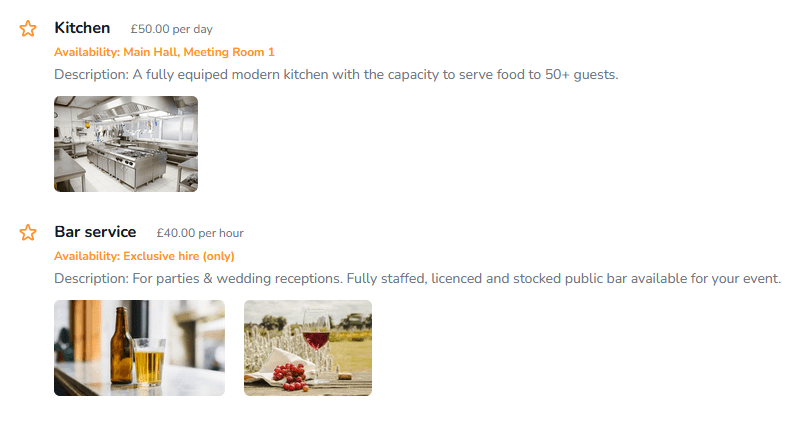
You can now upload photos of your equipment and services so potential customers get a much clearer idea of what your venue offers:
Participants data in the occupancy report
Gold
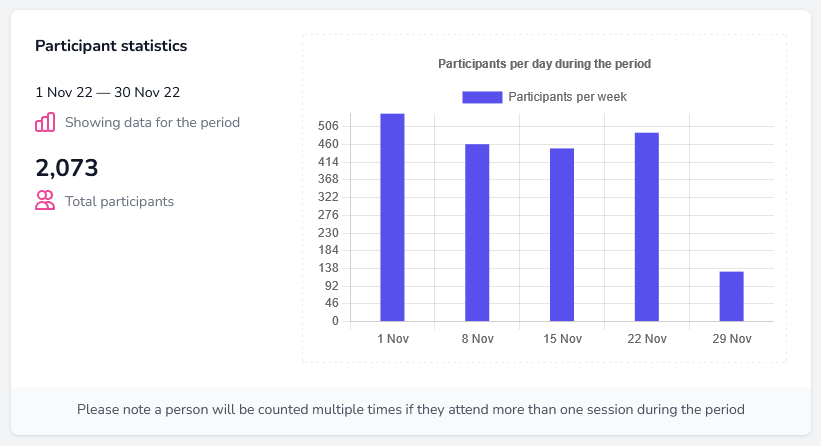
The occupancy report now shows how many participants your venue has served in a given period. This is particularly useful for grant applications, where you need to demonstrate the value your venue brings to the local community:
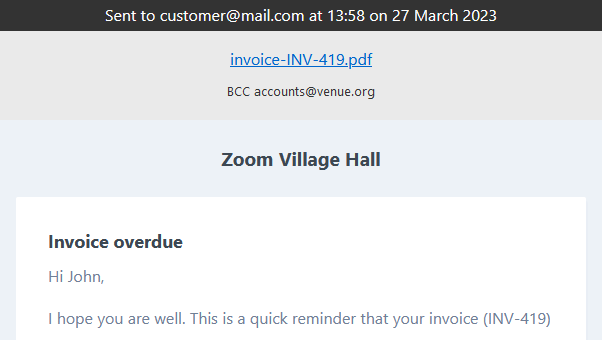
View attachments for sent emails
All plans
You can now view and download the attachments for any email LemonBooking has sent. Helpful if a customer queries an invoice, or if you need to check which version of your conditions of hire went out with a particular booking.
Custom questions for staff use
All plans
When you set up a custom question for bookings or customers, you can now choose whether it’s for the customer to answer or for internal staff use only:

What’s next?
We’re currently working on multiple booking forms per venue. For example, one form for hiring indoor facilities and a separate form for outdoor ones. You’ll be able to choose which facilities each form covers, and configure settings such as whether customers can book without approval. Coming soon.