March update
Connect your bank account
All plans
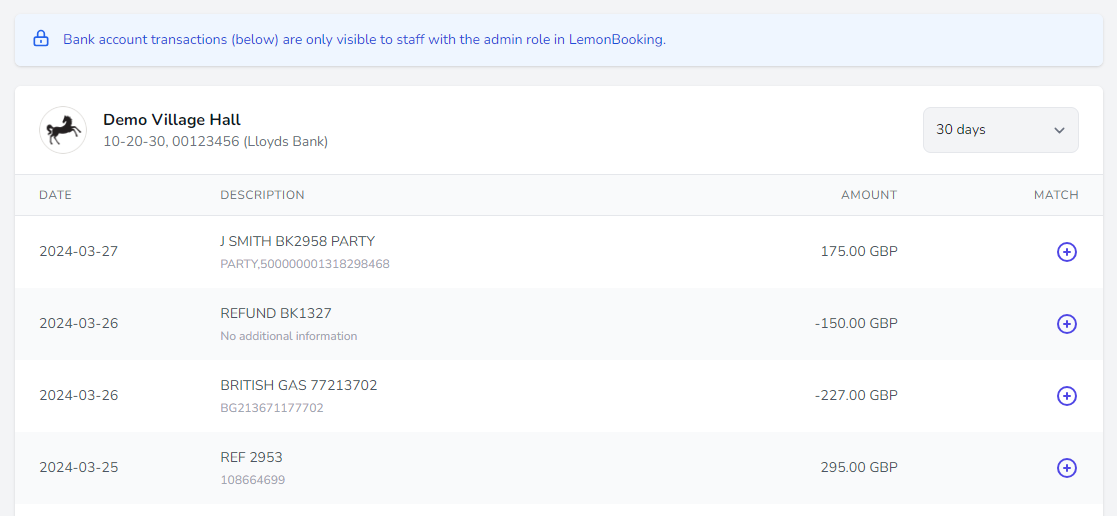
The new bank account data module connects your bank account (or accounts) directly to LemonBooking. You can see payments landing in your bank account in real time, right inside LemonBooking, and cross-reference them against the invoices you’ve raised.
A range of settings let you control how much information is shared and which staff members can see it.
Open banking
The bank account data module is built on Open Banking APIs, which give LemonBooking access to data from hundreds of banks across the UK and Europe.
The connection is read-only — LemonBooking can pull transaction data from your bank (with your permission), but it cannot add or remove funds from your account.
Performance reports
All plans
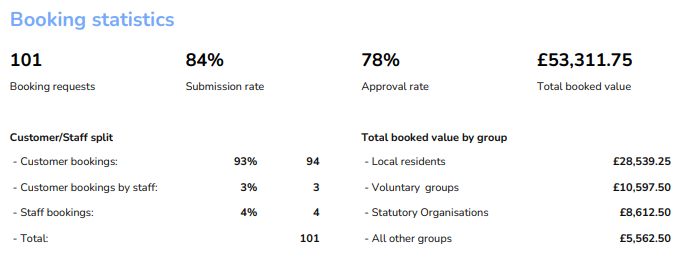
We’ve recently launched quarterly performance reports for all customers. LemonBooking now automatically aggregates your booking, ticketing and website data and reports on key performance indicators each quarter.
Customer support
The performance reports are also shared automatically with the LemonBooking support team, so we can spot opportunities for improvement and make suggestions back to you.
Transfer & merge bookings
All plans
You can now merge bookings together and transfer a booking from one customer to another. Merging is useful when a regular customer has booked extra sessions separately and you’d like to roll them into an existing booking.
Transferring is useful when staff have made a booking on a customer’s behalf and you now need to hand control of it back to the customer.
New filters for group emails
All plans
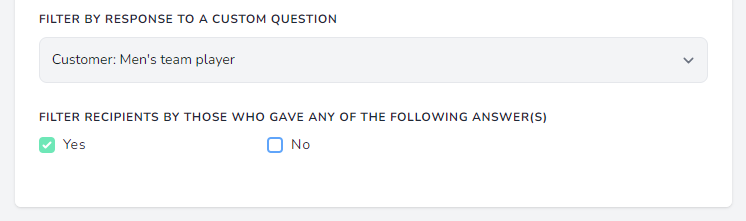
You can now filter group email recipients based on their answers to custom questions. Example below.
(Custom questions are extra questions you can add to the booking form or customer profiles. You can create questions and sub-questions, choose whether they’re required, and pick the answer format — text box, dropdown, checkbox, file upload, and so on.)
Colours for the weekly programme
All plans
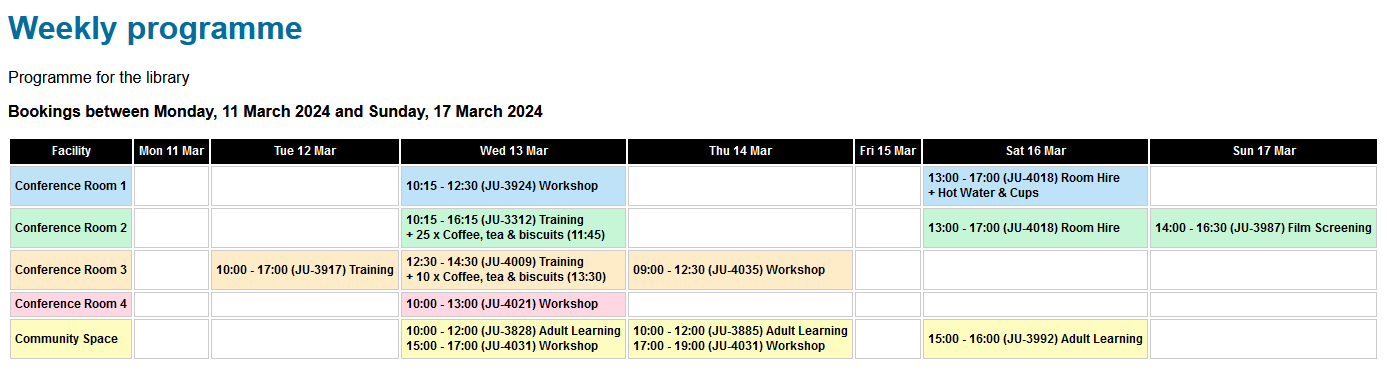
The weekly programme now displays the colour you’ve assigned to each facility:
New privacy option for facilities
All plans
LemonBooking has always supported public and private facilities — public facilities can be booked by anyone, while private facilities are only visible to staff.
We’ve now added a third option: a space that’s visible to the public but not bookable. Useful for a facility that hosts activities people can attend, but which isn’t available for private hire.
Multi-select for report filters
Silver
Gold
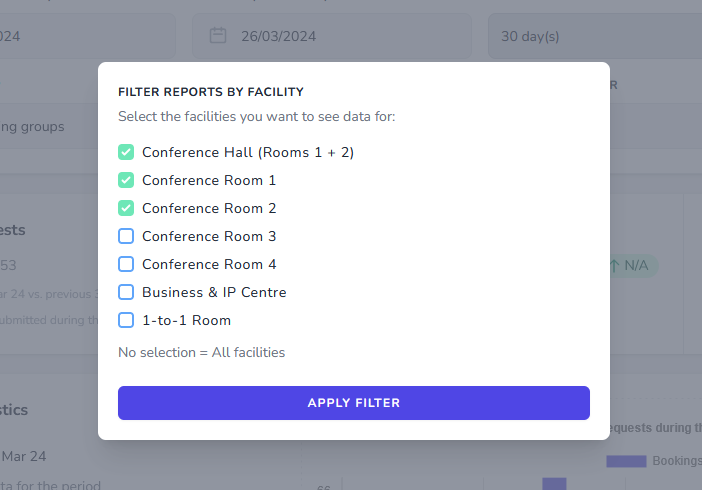
You can now select multiple facilities, booking groups or categories when filtering the reports dashboard (and the occupancy and income reports on the Gold plan):
Restrictions for booking tasks
All plans
Booking tasks let you set a checklist for each booking you process — things like “customer interviewed”, “key given out”, “key returned” and “inspection complete”.
These tasks could previously be ticked off by any staff member. You can now require a task to be completed by a specific person — for example, requiring approval from your catering manager before signing off any event with catering.
Two factor authentication updates
All plans
A new policy setting lets administrators require all staff to set up two-factor authentication (2FA). We’ve also added Microsoft Authenticator as a 2FA option, and introduced a setting to customise the lifetime of the “Remember me” cookie.
Two fonts for branding
All plans
In content settings, you can now set two different fonts for branding — one for headings and one for paragraph text.
 GDPR compliant
 Cyber Essentials
 Following Web Content
 Registered with the